

Embroidery File Formats for Logos, Patches, and Apparel
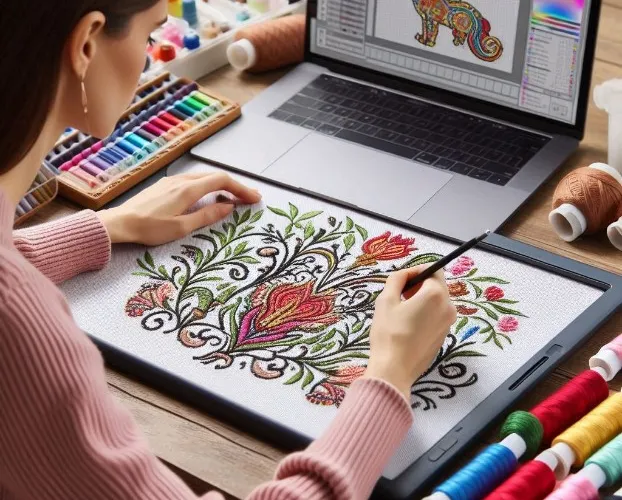
You have a beautiful logo ready for embroidery. You know what fabric you are using, what colors you need, and where the design will go. But when it comes time to actually load the file into your machine, you freeze. DST? PES? EXP? VP3? The alphabet soup of embroidery file formats confuses even experienced embroiderers. Understanding which Embroidery File Formats work for logos, patches, and apparel saves you from error messages, wasted time, and ruined projects.
Different applications require different formats. A logo for a corporate uniform needs different handling than a patch for a motorcycle club. Apparel decoration at scale demands formats optimized for commercial machines. Knowing what works where ensures your designs stitch correctly every time.
Let me walk you through the essential embroidery file formats and exactly when to use each one.
The Universal Standard: DST
DST (Data Stitch Tajima) is the closest thing embroidery has to a universal language . Tajima created it, and virtually every commercial machine reads it .
Best for:
-
Commercial production on multi-head machines
-
Sending files to other embroidery shops
-
Archiving stitch-ready designs
-
Logos on corporate apparel
-
Bulk orders where consistency matters
Why DST works for apparel: Commercial machines from Tajima, Brother, Barudan, Melco, and Happy all read DST. If you are producing apparel at scale, DST ensures your files work on any machine in your shop or your contract decorator's facility.
Limitations: DST stores no color data, only where changes happen . You need a separate color sheet or thread chart. It is also not editable, so keep your master files elsewhere.
File structure: DST files contain a 512-byte header with design name, stitch count, and color change records, followed by the body of stitch commands . Each stitch or jump has a maximum length of about 12.1 millimeters, so complex designs require many small stitches .
The Home Embroidery Favorite: PES
PES is the native format for Brother embroidery machines, and it also works on Babylock and Bernina home machines .
Best for:
-
Home embroidery projects
-
Small shops using Brother equipment
-
Logos on personal apparel and gifts
-
Designs that need color data preserved
-
Monogramming and personalization
Why PES works for logos: PES files store thread color information, so your machine displays the correct colors on its screen. This is invaluable for home users who may not have separate color documentation.
Version matters: PES comes in different versions (#PES0001 through #PES0060). Older machines may not read newer versions. The PE-300 only recognizes #PES0001, while advanced models like the PR680W handle #PES0060 . When creating PES files, know your machine's capabilities.
The Pfaff and Viking Family: VP3, VP4, VIP, PCS
Pfaff and Viking machines have evolved their formats over the years, creating a family of related but distinct file types.
VP3 is the modern format for mid-range models like the Creative 2124 and 2144 . It stores expanded metadata including thread colors, stitch density, underlay settings, and color sequence information .
VP4 is the newest format for top-tier models like the Epic and Diamond series . It includes additional editing capabilities and full compatibility with modern software ecosystems .
VIP and PCS are legacy formats for older machines like the Creative 4.5 series . If you own a vintage Pfaff or Viking, these are what you need.
Best for:
-
Pfaff and Viking machine owners (use the format matching your machine age)
-
Logos requiring detailed stitch information
-
Designs that may need future editing
-
Apparel where color accuracy matters
Important: These formats are not interchangeable. A VP4 file will not load on a machine that expects VIP. Always check your manual.
The Melco Standard: EXP
EXP is the native format for Melco embroidery machines, and some Bernina models also read it .
Best for:
-
Melco machine users
-
Commercial production on Melco equipment
-
Designs optimized for Melco's stitching behavior
-
Apparel runs on Melco multi-head machines
Why EXP for apparel: Melco machines are common in commercial settings, and EXP provides better integration with machine features than DST. If you run Melco equipment, EXP is your optimal format.
Compatibility: Melco machines also read DST, so you have options, but EXP gives you access to machine-specific optimizations.
The Janome Family: JEF, JEF+, JAN
Janome machines use a family of related formats that serve different purposes.
JEF is the stitch data format for most current Janome machines . This is what you load to stitch.
JEF+ is an editable stitch data format for newer models like HMC15000 and Skyline S9 . It allows you to combine multiple designs and edit them individually.
JAN is the master file format for Janome Digitizer software up to version 4.5 . It contains editable object data, not just stitches.
Best for:
-
Janome machine owners
-
Logo digitizing with Janome software
-
Apparel production on Janome equipment
-
Designs requiring future editing (use JAN master files)
Workflow tip: Create and edit in JAN, then export JEF for stitching. Keep your JAN masters for future modifications.
The Singer/Compucon Format: XXX
XXX is the proprietary format for Singer embroidery machines, developed by Compucon USA .
Best for:
-
Singer embroidery machine owners
-
Models like the Quantum XL-100 and XL5000
-
Logos on Singer-compatible equipment
Note: XXX is specific to Singer/Compucon. Other brands generally do not read it. If you have a Singer, this is your format. If you are sending files to others, confirm their compatibility.
The Happy Machine Formats: DST and TAP
Happy machines work with both universal and native formats.
DST is universally compatible and works well on Happy equipment.
TAP is Happy's native format, offering better integration with machine features .
Best for:
-
Happy machine owners
-
Commercial production on Happy multi-head machines
-
Logos requiring optimal machine performance
The Bernina Options: ART, EXP, PES
Bernina's format landscape depends on machine age and type.
ART is the native format for older Bernina machines and software .
EXP works with many Bernina models, especially for designs from other sources .
PES is compatible with Bernina home machines .
Best for:
-
Bernina owners (check your specific model)
-
Logos on Bernina equipment
-
Designs from various sources
Special Purpose Formats for Logos and Patches
Beyond machine formats, certain applications benefit from specific file types.
Vector formats (AI, EPS, SVG) are not embroidery files but are essential for logo digitizing. They provide clean paths that digitizing software can interpret accurately . Always provide vector artwork to your digitizer when possible.
Master formats (EMB, PXF, HUS) store editable design data. These are for digitizers, not machines. They preserve all the intelligence of your design for future edits.
Patch-specific considerations: Patches often require specialized formats that support merrowed edges or specific border treatments. Your digitizer will know which format works best for patch production.
Choosing the Right Format for Your Project
Here is a quick decision guide:
For commercial apparel production: DST is your safest bet. It works on virtually all industrial machines.
For home embroidery: PES for Brother/Babylock, VP3/VP4 for Pfaff/Viking, JEF for Janome.
For patches: Consult your patch manufacturer. They may have specific format preferences.
For logos you will reuse: Keep master files (EMB, PXF, JAN) for future editing. Export machine formats as needed.
For sending to other shops: DST ensures compatibility. Include a color sheet.
For your own machine only: Use your machine's native format for best performance.
Common Format Mistakes to Avoid
Mistake 1: Using the wrong format for your machine. Always check your manual before loading files.
Mistake 2: Assuming all formats are interchangeable. They are not. Conversion can lose data.
Mistake 3: Forgetting version compatibility. Older machines may not read newer file versions.
Mistake 4: Losing master files. Machine formats are not editable. Keep your working files.
Mistake 5: Sending raster images instead of embroidery files. Your machine needs stitch data, not pictures.
Conclusion
Embroidery file formats serve different purposes for logos, patches, and apparel. DST is the universal standard for commercial production. PES dominates the home Brother market. VP3/VP4 serve modern Pfaff and Viking machines. EXP is Melco's native format. JEF works for Janome. XXX is Singer-specific.
Understanding which format your machine needs and which applications each format serves ensures your designs stitch correctly every time. When in doubt, DST is the safest choice for commercial work. For home machines, stick to your brand's native format.
Professional digitizing services like Absolute Digitizing, Digitizing Buddy, Cool Embroidery Design, and Absolute Digitizer work with all these formats daily. They can deliver files in whatever format your specific project requires.
Your logo deserves to look its best in thread. Choose the right format, and it will.
